

How to Start Freelancing in 2026 With No Experience: A Beginner’s Step-by-Step Guide
You do not need experience to start freelancing. You need three things instead: one skill someone will pay for, proof you can do it, and a way for clients to find you. Everything else — a perfect profile, expensive courses, a long list of services — can wait.
This guide follows the order that actually works for beginners: pick one service, build proof without clients, set a starting price you can deliver without panic, choose one platform to start on, and write proposals that answer the client’s problem. It also covers the fees, the waiting, and the scams, because those are the parts most beginner guides skip.
No income timeline is promised here. Some beginners get a first small job in weeks; many take months of consistent applications. Both outcomes are normal, and neither means freelancing “doesn’t work”.
Quick answer: the 7 steps
- Pick one specific service you can already do or learn in 2–4 weeks.
- Learn the basics free — YouTube, official tool help pages, and practice, not a paid course first.
- Build 2–3 sample projects (called spec work) that prove the skill.
- Put the samples in a simple portfolio — a Google Drive folder, a free portfolio page, or a LinkedIn featured section.
- Create one platform profile properly (Fiverr or Upwork — see the comparison below).
- Apply or publish with a clear, narrow offer and a starting price.
- Deliver the first small jobs well, collect honest reviews, then raise your price slowly.
If you skip steps 1–4 and go straight to applying, you will get the most common beginner result: many applications, no replies, and no way to know why.
Step 1: Pick one service, not five
” I do graphic design, writing, video editing, data entry and social media” sounds flexible to a beginner. To a client, it sounds unfocused — and a client hiring for one job wants a specialist for that job, not a generalist for everything.
Pick a service using three filters:
- Can you do it now, or learn it in 2–4 weeks? Writing, Canva design, short-video editing (CapCut), social media posting, virtual assistance, data cleanup and basic WordPress help all fit this filter.
- Do clients already buy it? Search the service on Fiverr and Upwork. If dozens of sellers offer it and jobs are posted for it, demand exists. If almost nobody offers it, ask whether anyone is buying it at all.
- Can you show it? A service you cannot show in a sample — for example, “business advice” with no track record — is a hard first service. A service with a visible result — an edited video, a designed post, a written article — is much easier to sell.
Illustrative example: “I help small food businesses with short videos” is a sellable service. “I do digital marketing” is not, for a beginner. The first one tells a client exactly what they get; the second one tells them nothing.
Write your service down in one sentence before you move on: “I [do this] for [this kind of client], so they get [this result].” If you cannot write that sentence, your service is still too broad.
Step 2: Learn the basics free, then stop learning and start proving
Beginners often spend months “learning” because learning feels productive and safe. Clients do not pay for learning; they pay for delivered work.
A practical learning plan:
- Week 1–2: Learn the core skill free — YouTube tutorials, the tool’s own help centre (Canva, CapCut, Google Docs), and one small practice task per day.
- Week 3: Do the practice tasks as if they were client work: a deadline, a brief, and a finished file.
- Then stop and move to samples. You can keep learning one new technique per week while you apply — learning after you start is normal; learning instead of starting is the trap.
Do not buy a paid course before your first client. A course cannot give you the two things clients actually check: samples and reviews. If you later want a course for an advanced skill, buy it after you have earned from the basic one.
Step 3: Build proof without clients — 2–3 samples that look like real work
This is the step that separates beginners who get replies from beginners who do not. A client cannot hire “potential”. They can hire a sample that looks like the work they need.
Make 2–3 samples for imaginary or friendly businesses, and label them honestly as samples or practice work — never claim a sample was paid client work. That honesty protects you if a client asks about it.
Sample ideas by service:
- Writing: One 600–800 word blog post on a real topic, one product description, one set of social media captions — all on one theme, so your portfolio looks focused.
- Canva design: Three social media posts for one imaginary café or shop, in a consistent style, plus one thumbnail or flyer.
- Short-video editing: Two 30–60 second edited clips from free stock footage, with captions, cuts and music — showing before/after thinking, not just effects.
- Virtual assistance / data work: A cleaned spreadsheet (before and after), a sample inbox-and-calendar plan, or a short research summary with sources.
For each sample, add one line: the problem, what you did, and the result. Example: “Problem: a café had no posts for its weekend offer. What I did: designed three posts from one offer. Result: a ready-to-post set in one visual style.” That line matters more than fancy design.
Step 4: Make a simple portfolio (free is fine)
Your portfolio does not need a website. It needs to be one link a client can open in 10 seconds.
Good free options:
- A Google Drive folder with your 2–3 samples, sharing set to “anyone with the link can view”.
- A free portfolio page (for example, a simple page on a free site builder) with the same samples.
- Your LinkedIn featured section, if you already use LinkedIn.
Keep it to your best 2–3 samples only. Ten average samples are weaker than three good ones, and a client will rarely look past the third.
How beginners can use AI to improve their freelancing skill (without faking it)
Yes, this fits the article — and it fits best right here, after you have a service and samples, because AI helps you improve a skill you are already practising. It does not replace the skill, and it must never be used to fake experience you do not have.
Here is how a beginner can use AI honestly, skill by skill:
1. Learn faster, with practice — not just reading
Ask an AI tool to explain a concept in simple words, give you a practice brief, and quiz you on it. Example: “Give me a practice brief for a café’s weekend offer post, then check my draft and tell me what is unclear.” Learning by doing, with feedback, is faster than watching ten more tutorials.
2. Get feedback on your samples before a client sees them
Paste a sample (your own work, not a client’s confidential work) and ask for specific criticism: clarity, grammar, structure, or design balance. Then revise it yourself. The improvement counts as yours because you made the decisions — AI only pointed at the weak spots. Keep the before-and-after versions; they show your learning if a client ever asks how you work.
3. Draft faster, then edit in your own voice
AI is useful for outlines, first drafts, captions, and proposal drafts. It is not useful as a final deliverable on its own, because raw AI output is often generic, sometimes factually wrong, and easy for a client to recognise. A workable rule: use AI for the first 30% (structure and ideas), and do the remaining 70% yourself — checking facts, fixing tone, adding the client’s specific details, and removing anything you cannot stand behind.
4. Polish deliverables, without losing originality
For writing, AI can help with grammar, clarity and shorter sentences. For design and video, AI features inside tools like Canva and CapCut can help with variations, captions and clean-ups. Use them to improve work you created, not to generate a whole portfolio from prompts and present it as your own skill. If you cannot recreate or fix a piece without AI, you have not learned that skill yet — practise it until you can.
5. Write better proposals and client messages — then personalise them
An AI draft can help you structure a proposal (goal, proof, deliverable, deadline, next step — as in Step 7). But never send a copied AI proposal. Replace every generic line with the client’s actual job details, link the one matching sample, and read it aloud once before sending. A personalised proposal that took you ten minutes beats a perfect-sounding generic one every time.
6. Improve your profile and portfolio descriptions
Ask AI to help rewrite your gig title, bio, or sample descriptions for clarity — shorter, more specific, focused on the result for the client. Then check every claim: if it says you have experience you do not have, delete that line. Your profile must describe the samples you actually made, not an invented history.
The limits every beginner must respect
- Check every fact. AI tools invent prices, statistics, names and links. If a fact goes to a client, verify it from a primary source first.
- Never share a client’s confidential work in a public AI tool without permission. Use your own samples for practice, not a client’s files, briefs or data.
- Follow the client’s and platform’s rules. Some clients and platforms restrict AI use for certain jobs. If a job says “no AI-generated work”, respect it — losing one job is better than losing an account.
- Do not fake a skill with AI. If a client hires you for video editing and you can only prompt an AI video tool, you will fail the first revision request. Learn the skill first, use AI to speed up the parts you already understand.
- Disclose when asked. If a client asks how you produced the work, answer honestly. Honesty about AI assistance is now part of professional freelancing, not something to hide — and hiding it is what turns a normal tool into a trust problem.
Used this way, AI does not make you a freelancer overnight. It makes a practising beginner learn faster, revise better, and present their real work more clearly — which is exactly what gets the first review.
Step 5: Choose one platform first — Fiverr or Upwork?
Starting on both platforms at once sounds like doubling your chances. In practice it halves your attention: two half-finished profiles, two kinds of applications, and no clear routine. Pick one, do it properly for 4–6 weeks, then add the second only if the first is working.
| Fiverr | Upwork | |
|---|---|---|
| How clients find you | You publish a “gig” (a fixed service package); clients come to you | You apply to jobs clients post (proposals) |
| Best for a beginner who… | wants to set a fixed price and wait for orders | wants to choose jobs and write to clients directly |
| Seller fee (checked Oct 2026) | Flat 20% of every order, including tips — no tiers or volume discount | Variable 0%–15% per contract (see note below) — check the fee shown on each contract before you submit |
| Cost to start applying | Free to publish a gig; no cost per order received | Proposals cost Connects (about $0.15 each in 2026 guides; most jobs cost 6–16 Connects) — you pay to apply, before any reply |
| First-job speed | Can be slow until search ranking and reviews build | Can be faster if a proposal lands, but each proposal costs money and time |
| Biggest beginner risk | Pricing too low and getting stuck on tiny orders | Spending on Connects with no replies, or taking a contract without checking its fee |
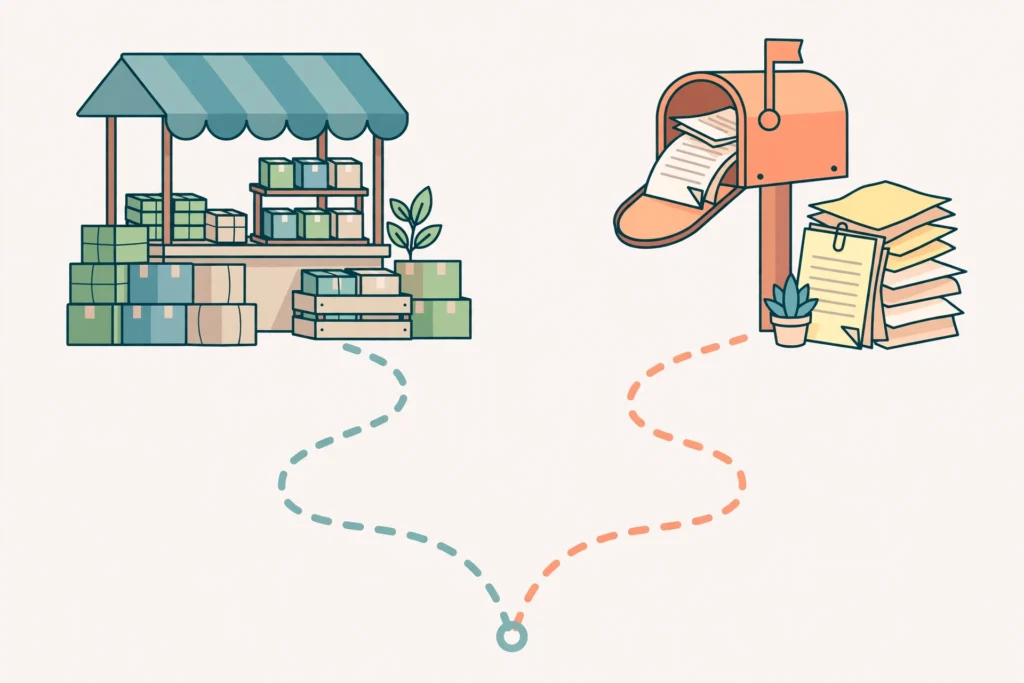
Upwork fee — read this carefully, because older guides are wrong. Upwork’s old tiered fee (20% on the first $500 per client, 10% to $10,000, 5% above that) was replaced on 1 May 2025 with a variable freelancer service fee of 0% to 15% per contract, shown to you before you submit a proposal or accept an offer and locked for that contract. Independent fee trackers in 2026 report most typical contracts landing near 10%, but that is an observed pattern, not a fixed rate. Always read the fee on the actual contract — never quote a client a take-home figure based on an old article.
Fiverr fee — simpler, but steeper. Fiverr takes a flat 20% from the seller on every order. A $50 gig leaves you $40 before withdrawal costs. Buyers also pay their own fees (a 5.5% service fee, plus a small-order fee on smaller orders in current terms), which affects what a buyer is willing to pay — but those buyer fees do not come out of your 80%.
Our starting recommendation: If you have no money to spend on applications, start with Fiverr — publishing a gig costs nothing, and you are not paying per application. If you prefer choosing jobs and writing proposals, and you can budget a small amount for Connects, start with Upwork — but set a weekly Connects budget and stop when it is spent. Either way, the first goal
is not money. It is one honest review.
Step 6: Set a starting price you can deliver without panic
Pricing is where beginners make two opposite mistakes: pricing so low they resent the work, or pricing like an expert with no reviews and getting no orders.
A workable starting formula:
- Estimate the hours the job will really take, including revisions and messages — then add 25% for the parts you forgot.
- Choose a price that, after the platform fee, still feels worth that time. On Fiverr, divide your target take-home by 0.8. Example: to keep $40, price the gig at $50.
- Offer one clear package at first, not three confusing tiers. Add tiers only after you know what clients actually ask for.
Do not work for free “for exposure” beyond one clearly labelled sample for a real person you know, in exchange for honest feedback and permission to show the work. Endless free work does not turn into paid work — it turns into a reputation as the free option.
Raise your price after 3–5 good reviews, or when you are turning work away — whichever comes first. A small raise (10–20%) is safer than doubling overnight.
Step 7: Write proposals and gigs that answer the client’s problem
Clients do not hire the longest proposal. They hire the proposal that shows the writer read the job.
A strong short proposal structure (Upwork, or a Fiverr gig description adapted the same way):
- One line that repeats the client’s goal in your own words. “You need three short videos per week for your café’s weekend offers” beats “Dear Sir/Madam, I am a highly skilled freelancer.”
- One line of proof. Link one sample that matches this job — not your whole portfolio.
- What you will deliver, by when, and what you need from them. Scope, deadline, and one question if something is unclear.
- A clear next step. “If this fits, I can start with one test video this week” is better than “I look forward to hearing from you.”
Avoid these beginner proposal habits: copying the same message to every job, listing every tool you have ever used, promising “100% satisfaction guaranteed”, or claiming years of experience you do not have. Clients can tell, and one dishonest claim can cost you the account if it is checked.
A realistic application routine: 5–10 genuinely personalised proposals or gig improvements per day, on the one platform you chose, for 4–6 weeks, is a serious effort. Sending 50 copied messages in a day is not — it burns your profile and teaches you nothing about what clients actually want.
Step 8: Deliver the first job like it is an audition — because it is
Your first job is not really about the money. It is about the review, the repeat client, and the sample you can show next time.
Before you start, confirm in writing: the exact deliverable, the number of revisions included, the deadline, and the file format. Most beginner disputes are not about skill — they are about a scope that was never agreed.
During the job: reply within a day, show progress early (a draft, a first cut, a first page), and flag problems before the deadline, not after it. If you are going to be late, say so early with a new time — clients forgive a warned delay far more easily than a silent one.
After delivery: ask politely for honest feedback and a review, and ask permission to show the work (with the client’s name
removed if they prefer) in your portfolio. One good review changes your next ten applications.
What to do when no one replies (the normal middle part)
Silence is the most common beginner experience, and it does not automatically mean your skill is bad. Work through this checklist before you quit or switch skills:
- Is your offer narrow enough? If your gig or profile still says you do everything, narrow it to one service this week.
- Do your samples match the jobs you apply for? A writing sample does not help a video-editing application.
- Are you applying to the right level? Jobs asking for “5 years’ experience and 50 completed projects” are not beginner jobs, even if the task looks easy.
- Is your price believable? A price far below everyone else can look like a risk, not a bargain.
- Have you actually been consistent for 4–6 weeks? One week of applications is a start, not a test.
If all five are fixed and replies still do not come, change one thing at a time — the gig title, the first sample, or the job type — and give that change two weeks. Changing everything at once teaches you nothing.
Scams and red flags: the checklist that protects your first payment
Freelancing scams target beginners precisely because beginners are eager for a first client. Memorise this list:

- Never pay to get a job. No real client charges an “activation fee”, “training deposit”, “software fee” or “verification payment” before paying you.
- Never move the conversation off the platform to pay outside it on the first job. Platforms hold payment in escrow for a reason. A client who insists on paying by gift card, crypto, or a personal transfer before work starts is a red flag.
- Never accept an overpayment and “refund the difference”. A cheque or transfer for more than the agreed price, with a request to send part back, is a classic fraud pattern.
- Never share account passwords, one-time codes, or ID documents with a “client”. A real client needs your deliverable, not your login.
- Be careful with “free trial” work that is the whole job. A short paid test is normal in some fields; a full project “as a trial” with payment promised later is usually unpaid work.
- Check the client’s history. On Upwork, look for verified payment, past hires and reviews. On Fiverr, a buyer with no history is not automatically a scam — but a buyer with no history asking for a large job off-platform is a risk.
- Get scope and payment in writing on the platform before you start — deliverable, revisions, deadline, price. If a client will not put it in writing, do not start.
If something feels wrong, pause and check the platform’s own safety pages before you reply. Losing one suspicious “client” costs nothing; losing a payment or an account costs far more.
Illustrative example: a realistic first 6 weeks
This is an illustrative example, not a tested result and not a promise:
- Weeks 1–2: You pick one service (short-video editing), learn CapCut basics free, and make two sample clips for an imaginary café.
- Week 3: You publish one Fiverr gig with those samples, a clear price, and one package. You also set up a simple Drive portfolio.
- Weeks 4–5: You improve the gig title and first sample after a week with no orders, and you share the gig link only where it is allowed (not by spamming groups).
- Week 6: A small order arrives — one short video, a clear brief, a deadline you can meet. You deliver early, ask for feedback, and get your first review. That review, not the payment, is the real result of week 6.
If a course or video promises you that same result in 7 days with no work, treat that promise itself as a red flag.
Frequently asked questions
Do I need a degree or certificate to freelance?
No. Clients hire proof and delivery, not certificates. A degree can help in regulated fields (for example, legal or medical writing), but for writing, design, video editing, admin and similar beginner services, samples and reviews matter far more.
How much can a beginner earn in the first month?
There is no honest single figure. It depends on the service, the platform, the price, and how consistently you apply. Some beginners earn nothing in month one; others earn a few small orders. This article deliberately gives no monthly income figure, because any figure that ignores your service and effort would mislead you. Judge your first month by reviews and completed jobs, not by a target income from a blog post.
Fiverr or Upwork — which is better for beginners?
Neither is universally better. Fiverr is cheaper to start (no cost per application) and suits fixed, repeatable services. Upwork suits custom jobs and direct proposals, but proposals cost Connects. Start with one, as explained in Step 5, and judge it after 4–6 weeks of real effort.
Should I offer many services to get more clients?
No — at least not at first. One narrow service with matching samples beats five vague services. You can add a second, related service after the first one has reviews.
Is it okay to use AI tools in freelance work?
Yes, if you use them honestly: as a drafting, research or editing aid, with your own checking, editing and judgement — and if the client has not forbidden them for that job. See the dedicated section above, “How beginners can use AI to improve their freelancing skill (without faking it)”, for the full method and limits. In short: do not deliver raw AI output as your own work, do not claim AI-generated samples as client work, and do not use a client’s confidential material in a public AI tool without permission. Velix’s AI tools guide explains this distinction in more detail.
What if a client does not pay?
On a platform, do not start work without an agreed, funded order or contract, and use the platform’s dispute process if payment fails — that process is one of the main reasons to stay on-platform for early jobs. Off-platform, a written agreement and a deposit before work starts are the minimum protection. Never deliver the final, usable files before the agreed payment step is complete.
Further reading
- A guide to making money with AI in 2026 — larger earning paths beyond freelancing.
- AI tools for content creators — tools that can help you work faster and present your work better.
- Referral earning apps — a smaller, separate earning option; rewards apps are not freelancing and pay far less than client work.
Conclusion: start narrow, prove it, then grow
Freelancing with no experience is not about pretending you have experience. It is about replacing experience with proof: one service, two or three honest samples, one clear offer, and consistent, personal applications.
Start this week with the one-sentence service definition from Step 1. Make the samples next. Publish or apply only after the samples exist. That order — skill, proof, offer, applications — is the whole strategy, and it is also the reason this guide does not promise a timeline: the work is in your control, the client’s reply is not.
When you have your first review, come back to this guide’s pricing step and raise your price a little. That small raise, repeated over real jobs, is how a beginner service becomes a freelance income — slowly, honestly, and without a course, a scam, or a fake portfolio.
Last checked: 28 October 2026. Platform fees change — always check the fee shown on your actual contract or gig page before you quote a price. Upwork’s variable 0%–15% fee and Fiverr’s flat 20% seller commission are summarised from 2026 fee guides and platform terms as checked on that date; individual contracts and withdrawal methods can change the final amount you receive.